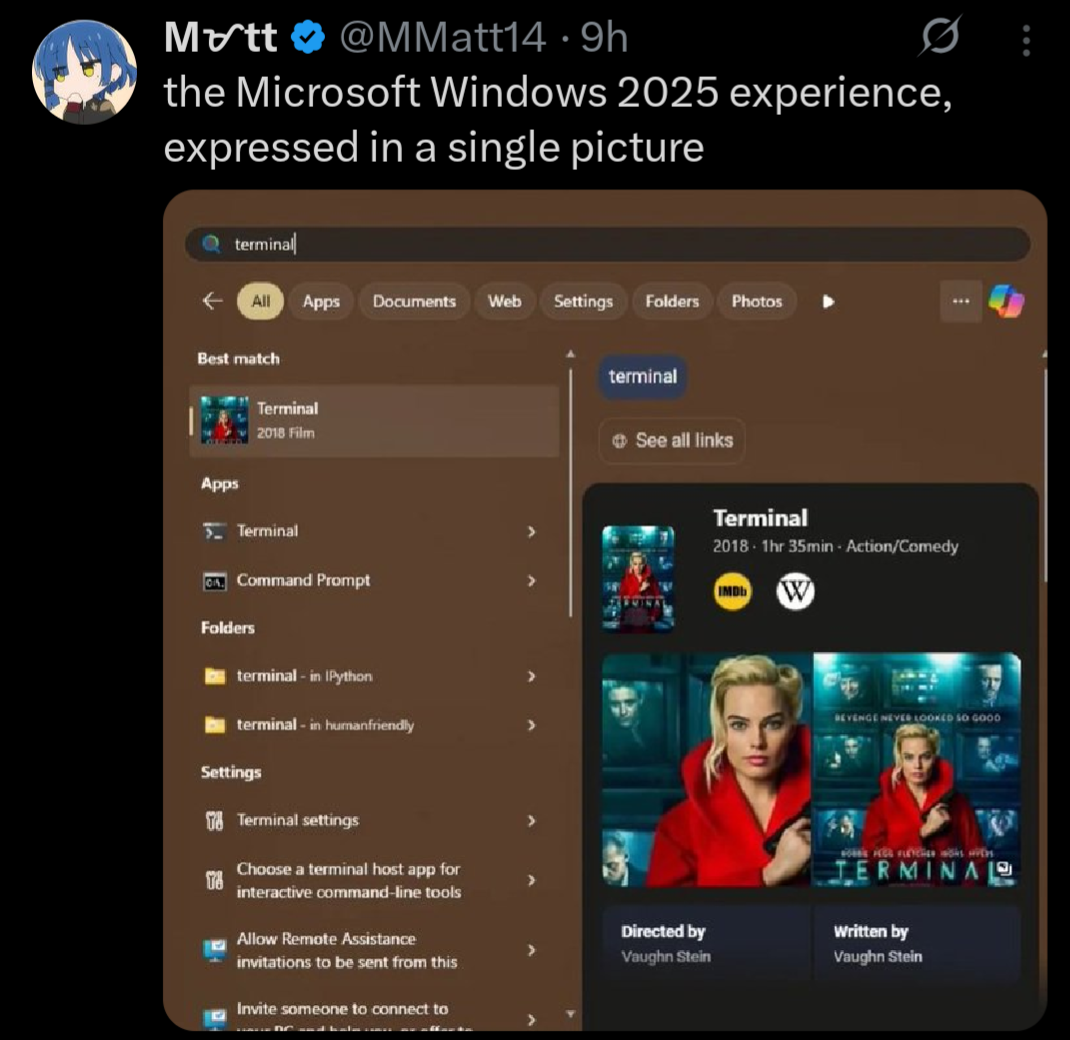
This is shocking to me. I’ve got a success rate of maybe 20%, the other times it will search the web for something, list a top option that’s completely unrelated to my search while the app with the the exact same name as the term I searched is right below it. Granted that second one is fine-ish, but I’m used to Linux where muscle memory gas me pressing enter as soon as I’ve typed what I want, and if I do that on windows it starts the wrong app.
Just throwing this out there, you can turn off web search in the windows search bar… I believe it requires editing local group policy or registry, but it’s an easy tweak that you shouldn’t have to do again
It should not require this, but for those of us stuck on Windows, full or part time, doing that does make using it marginally more tolerable

By find apps, do you mean the ones I installed already or ones in their marketplace or whatever?
Because I’ve never been able to have it find my own god damn programs that I installed locally and fully given up on ever using the start menu.
I despise that it defaults to a web search if it can’t find what I’m looking for, which is most often a very real setting that I know exists…
How does it not work? My Win11 start menu is flawless, start typing receive app, no ads.
This is shocking to me. I’ve got a success rate of maybe 20%, the other times it will search the web for something, list a top option that’s completely unrelated to my search while the app with the the exact same name as the term I searched is right below it. Granted that second one is fine-ish, but I’m used to Linux where muscle memory gas me pressing enter as soon as I’ve typed what I want, and if I do that on windows it starts the wrong app.
Just throwing this out there, you can turn off web search in the windows search bar… I believe it requires editing local group policy or registry, but it’s an easy tweak that you shouldn’t have to do again
It should not require this, but for those of us stuck on Windows, full or part time, doing that does make using it marginally more tolerable
Try running MMC…