

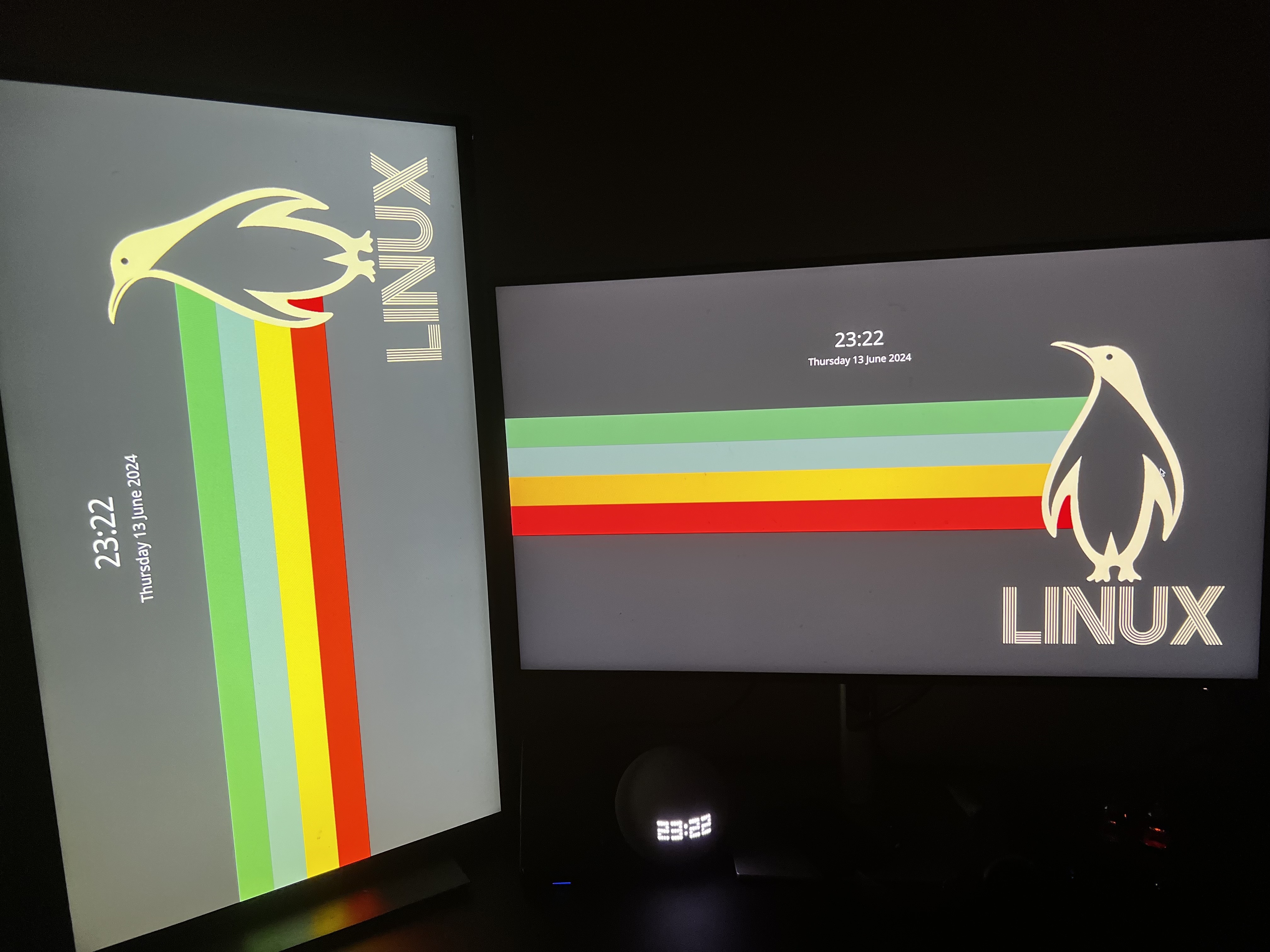
I’m using EndeavourOS with KDE.
The display is correctly oriented when logged in but it doesn’t rotate correctly when I’m logged out.
EDIT: corrected the post. This happens when logged out, locking the screen has it displayed correctly.
I’m using EndeavourOS with KDE.
The display is correctly oriented when logged in but it doesn’t rotate correctly when I’m logged out.
EDIT: corrected the post. This happens when logged out, locking the screen has it displayed correctly.
If you’re using Wayland, you can go to Settings -> Colors & Themes -> Login Screen (SDDM) and click “Apply Plasma Settings…”
If you’re using X11, it looks like you’ll have to resort to hacky scripts, unfortunately.
Source: https://discuss.kde.org/t/how-to-change-monitor-layout-and-orientation-in-sddm/3377
I’m using Wayland, where do I find this settings gui?
This is the system settings application for the KDE desktop environment.
Ah, so being on Hyprland means I can’t really gain access to this, right?
Correct. Unfortunately, it’s something that each desktop environment or window manager has to implement themselves. But all the button is doing is moving some config files around, so you can probably do some digging to figure out what it’s copying to where.
deleted by creator
Yeah that difference in configuration definitely makes it so much better, it completely outweighs the fact that Wayland does proper multi-monitor VRR, fractional scaling, HDR and much more.
Not OP comment but I had no idea Wayland supported all of that. Thanks for sharing! I really need to leave my Linux bubble more often.
And now you know why it’s so funny to read people on the internet exclaiming that X11 is so much better despite its lack of development…
deleted by creator
Literally yes. And you don’t even need to know the exact pixel resolution of the TV.
Edit: Here are the problems with you “Wayland isn’t good enough” people.
First, you don’t use Wayland, so you don’t even know if it’s fixed whatever weird issue you encountered with it before or if it supports a niche use case, for example.
Second, Wayland won’t get good enough for you until you start using it and reporting bugs. You think X11 was a bed of roses when it first started? Or do you think they bumped the version number 11 times for fun?
You can’t be this stupid, Wayland also uses a config file, you just have a GUI button to copy the configs from inside your session to the login screen. Or do you think the button recompiles the login screen with a different configuration?
Okay grandma, let’s get you to bed
Uh, all that button does is write your configuration to the sddm config. Of course you can also do that manually.
Unfortunately, I’m having to use X11 because of work (context). Thanks for the help!
I suppose xrandr can help you here: See the Arch wiki about xrandr