
This is a fun one.
My mom lives about 11 hours drive away from me. She knows very little about computers, aside from Open Chrome -> Play FB games.
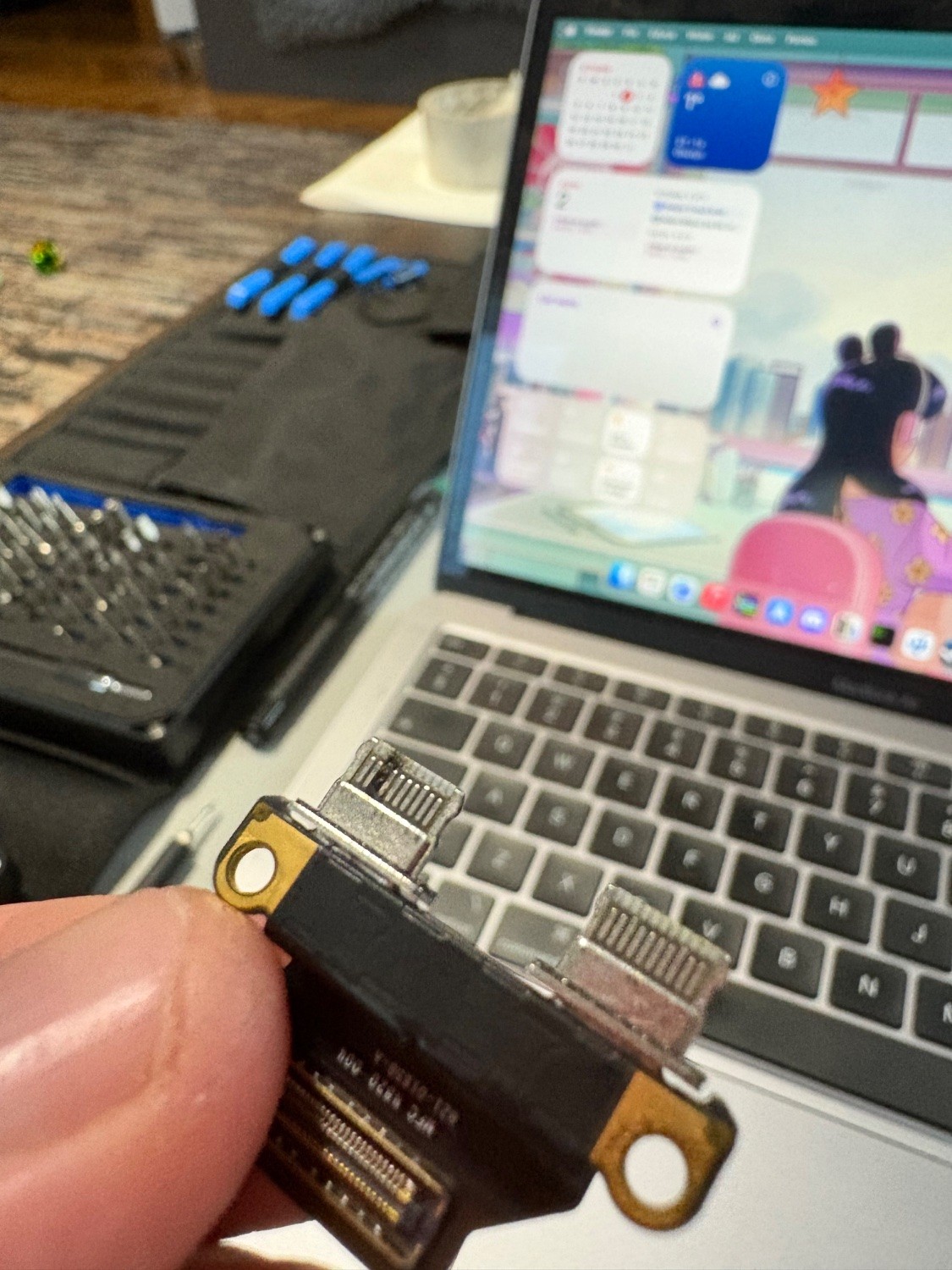
She told me that her M1 MBA was out of space constantly, and had a broken usb-c port, so she decided to buy a new one. Had I known of her intentions, I would have remoted in and figured it out.
I told her to send the computer to me, so I could take a crack at it.
Crazy part: The USB-C ports on the M1 MBA are replaceable. You can buy a replacement for them on eBay for like $8. So I pulled the USB-C board out, saw some corrosion, cleaned it, et viola! It works fine, didn’t even need to buy the replacement.
After removing all of the cured resin bits (did I forget to mention that she does resin art stuff, and apparently keeps the computer right next to her as she works on her stuff?) that were all over the computer, it doesn’t look half bad! This only took several hours…
The only thing I have to replace is the space bar key. I was a bit overzealous when I was trying to remove the two globs of resin from the key, and snapped its little clips that connect to the switches. Somehow the switches were not damaged, just the key itself, which I found from a seller on eBay for about $10. I thought that I was going to have to replace the whole top cover, which bummed me out (more e-waste 🙁)
This Mac will live on for years to come now!
I just read about Asahi Linux the other day. So of course I have to try it. This machine will be perfect to tinker around with in that way ☺️
ETA: Asahi Linux is so fucking cool. The install had a couple of points that might be difficult for the average user, but if you are installing this, you likely know what you’re doing already. Absolutely recommend checking out. I had some issues connecting to my WiFi network at first, but 10 minutes of troubleshooting got it working just fine. I’m not familiar with Fedora, which is actually kind of cool because this thing really just works
You must log in or register to comment.
I replaced USB-C board too, just days ago, got mine from iFixit. A very simple process indeed as long as you have P5/T3/T5 bits for the screwdriver.
Don’t use cheap KVM from AliExpress, mkay
With the way MacOS is going I’m probably going to jump back to Linux once USB-C displays work.
Nice! I was so surprised to see how easy it was.
6 years old and it’s still a pretty powerful computer.
Absolutely. I rocked my base 2010 MacBook Unibody until 2019. I can totally see this machine lasting at least 10 years. The functionality of it 10 years from now is another story. But as a causal internet machine? Absolutely.
Now try upgrading the RAM and storage.
It’s possible to upgrade the storage. Can’t seem to find anything for the RAM. The 250gb drive has plenty of space and I haven’t checked the RAM, but I think this is the base model, so that would be 8gb. Asahi Linux is super snappy, and so is MacOS.