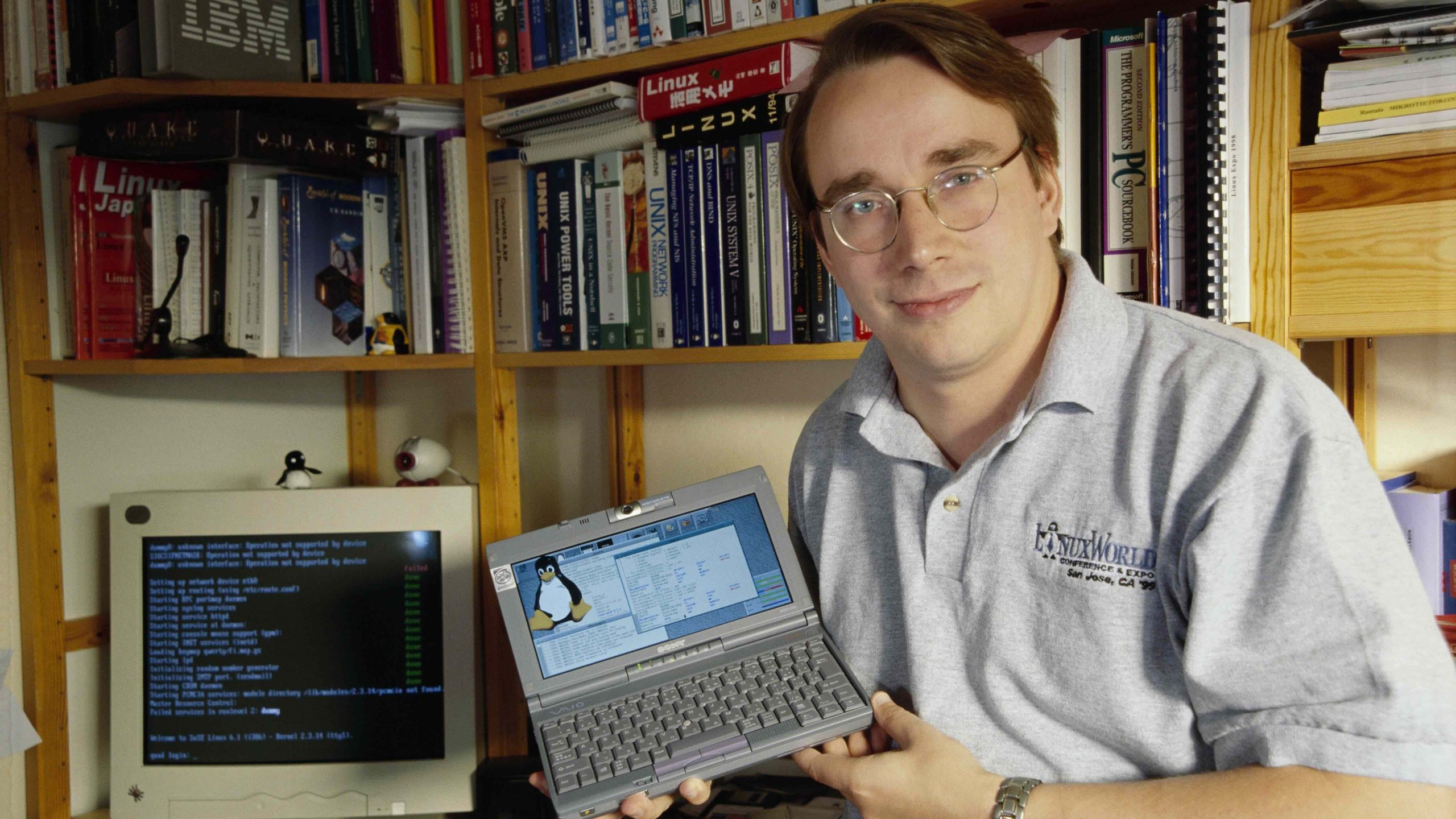
Now if you don’t mind I’m going to delete the root folder and see what happens.
You must log in or register to comment.
Not the takeaway, but what is that minilaptop Linus is holding?
Linux has been very good for a long time. It’s just gaming that didn’t work very well until DXVK came out and Valve started putting a lot of work into it and Wine.
It’s honestly been way bigger of a struggle to get pirated games to work on Windows compared to Steam games on Linux. Many of them work straight out of the box with zero tweaks.
Lack of gaming compatability would be an absolute deal breaker for a hell of a lot of people, so this has been very recent major progress to set the stage for Linux success.
I’ve been on Mint for about two months now. Took some getting used to and there was a pretty large chunk of stuff to learn that I wasn’t really expecting (I feel like Linux users tend to greatly oversell how easy of a switch it is), but I’ve got most things figured out now. AlternativetTo.net has been a lifesaver and has helped me find replacements for most programs I use regularly. Though I still desperately miss paint.net.
Now I just need to figure out why my audio crackles sometimes when I’m playing games.
I’ve not used paint.net so this might be completely off the mark, but Pinta is a good little paint program which might be a reasonable alternative.
Yeah, Pinta is currently what I’m using as a replacement. It’s more or less what I need, but the UI is difficult to navigate and leaves a lot to be desired (though tbf that might be my paint.net muscle memory fighting me). I do appreciate Pinta being around though, I’ve tried other alternatives and Pinta is definitely the best of the bunch, at least for what I’m looking for.
Second vote for Pinta. About the closest thing to paint.net there is for a Linux desktop . . .
I get the audio crackle also, been trying to figure it out for a while. Some people seem to have solved it by disabling power saving on the audio card. Didn’t work for me but might work for you.
cat /sys/module/snd_hda_intel/parameters/powersave
If it returns a “1” then power save is active
It’s been an unfortunately difficult problem for me to troubleshoot since it only happens occasionally. I appreciate the help though, I’ll give disabling it a shot (it was enabled.)
When I was chatting to someone about building my ‘mid’ gaming pc, we got chatting about RAM and I said I’ve got 16GB set up. His reaction was ‘only 16 gig?’
Well yeah, my OS is only using 16% of it at startup compared to you know what. (the repeated number 16 is a coincidence, it IS using 16%)
I built my mom a cheap PC like 7 years ago right before work from home took off, and at the time it was running Windows 10, but as time went on, it became apparent that the 8GB i built it with somehow wasnt enough so I upgraded it to 16GB. Fast-forward to now, where she’s now running Linux because her work didn’t want to support Windows 10 WFH anymore (but somehow also supported Linux clients??), and she doesn’t even use 8GB of RAM, even with integrated graphics.
Linux is probably actually using 100%, as memory not allocated to programs is used for caching
Thats a much better use of memory than “oh I’m out and it’s time to write to the paging file, just go wait”
I’ve used Linux on desktop, servers, and embedded devices regularly, but my mobile laptop has always been Windows. There were just enough times when a commercial OS was the only working solution to something even if Linux was great for 95% of other things.
Not quite two months ago now, I’ve changed that. I bought a M2 Macbook Air and run Asahi Linux (Fedora Remix) as my primary with the ability to dual boot back to OSX if I need a commercial OS. I’ve only had to boot back to OSX one time (and it really was the only solution). Asahi on M2 isn’t perfect but I’m quite happy with it.
My PC has been running Linux for around 3 years already but my next laptop will probably still be a Mac. Mostly because Photoshop and DaVinci Resolve don’t support Linux (I think) and I also kind of want to reward Apple for coming to their senses and bringing back the better keyboard along with SD card reader and HDMI slot. I also just have had extremely positive experience with my current laptop which is my first Mac ever.
My only real issue with Linux is using terminal. I’m just following instructions and blindly inserting commands there with no understanding of what I’m actually doing. There’s nothing intuitive about it to me. Zero.
sudo hork -w bortle | jism justify 10586.3
…
Fatal error: jism unjustified
stackoverflow when i ask for help “justify your jism, noob”
I took the plunge during the holiday interregnum.
A lot of stuff was stunningly simple, some frustrating hiccups/learning experiences here and there but I think all the games I checked are working.
I still have to do some work to figure out how to get mods working (not usually a dealbreaker but I’ve heard they really improve Fallout NV and I’ve been itching to try it) but goddamn it feels awesome to finally leave windows!
Modding manually is a breeze, it’s when you need different sorts of managers or script extenders that it can get a bit wonky. Welcome to the party!
Mod Organizer 2 works great on Linux. It’s a bit trickier to install due to the way Proton works, but there is an installer for it.
Thanks, I’ll be looking into it this weekend!
Back when I originally dabbled with using Linux on a computer of my own, maybe around year 2003 or so, I didn’t know about rm -rf and was many years from being an adult as well. But I did know about /dev/null, and was really fascinated by the concept of the /dev/ directory!
So, I tried removing a file by
# cat filename > /dev/null
``` .
The next time I booted my computer, there was... An error message.
/dev/null: Not a file
From the perspective of a person who has now used Linux since 1998 (first with only user rights on my parents' computer) this sounds like an absolutely bonkers solution for that problem, but yeah: it's er-em-dash-rm-ef-slash level of error. And those do really happen. It's good to keep in mind what a n00b can be able to do!I just put Linux on my #2 laptop, and am very impressed. It does things I’ve been trying to solve on Windows for years.
The only thing keeping me in Windows is Solidworks. I may set up a VM just for that (it’s what I use at work). Give me Solidworks for Linux and Microsoft is done.
2025 was the year for me (Fedora Kinoite), Linux in my opinion, is absolutely ready for the mainstream.
I tried that and it was very good. Have been a bit of a hopper over the years and kept going back to Mint. It seemed a bit slow though and so I tried a few others and ran GeekBench 6 on them and for the last few months have been with Endeavour. It has two results as gusty result is last version.
Beeline Mini PC N100 CPU and 16GB RAM. Numbers are single core and multi core.
Apologies for formatting but it’s a table from Apple Notes 😉
Linux Mint Cinnamon 1077 1650 Cachy OS 1211 2756 Fedora Kinoite 1177 2643 Endeavour KDE 1278/1274 3292/3131 Endeavour Gnome 1135 2110 Manjaro KDE 1117 1848 Zorin 787 1134
Not the most scientific of tests but it might help someone. But for my purposes Endeavour is the one. Also the one I have least issues with.
wit the specific hardware, its a good system for a potential steammachine if you dont care much for multiplayer, and you are millenial level of tech savvy. gonna need 20 more years to go mainstream tho.