

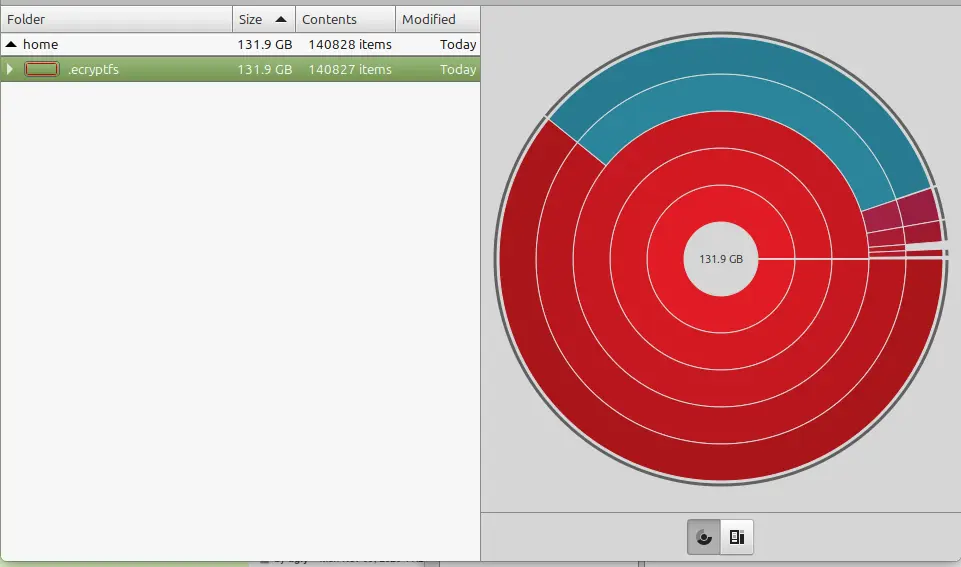
I set up a laptop with linux mint cinnamon within the last two weeks, and while trying to install The Sims 4 today I got a message that the hard drive was out of space. I have installed nothing so far except for Steam, and tools to get The Sims 4 running. I see that 131gb is taken up by .ecryptfs and a web search turned up this thread however I used the utility that was suggested with the same result. Then OP says multiple reboots have cleared up the issue. I am on reboot 4 now with no such luck.

Is it safe to delete this? Is it something with timeshifted?
You probably enabled home directory encryption on install. If you do that, your personal files get stored in the .ecryptfs folder, and get decrypted at runtime. So maybe doing an ncdu inside your home folder reveals some big files there.
And honestly, if you have the time for it i recommend a reinstall with no home directory encryption but full disk encryption. That way you don’t have to deal with ecryptfs since you whole disk is encrypted and mounted as one single thing. PS: I had problems with ecryptfs when i wanted to install something with a very long folder name, which is the main reason i now use full disk encryption.1
I did the reinstall. I saw the option to encrypt my home directory, but none for full disk encryption. For now I left it unencrypted. Once I figure out how to get the sims 4 to run (the entire point of the endeavor is so my wife can play the sims) I will deal with the encryption.
Full disk encryption should be an option during setting up the partition. iirc you beed to select lvm or something similar there.